Long-distance
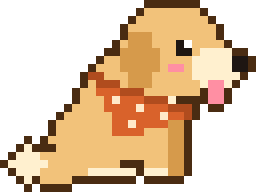
It's 11 pm for you and 1 pm for them. Send a hug before bed, and their pet walks over to yours with it.
 Boop
Download for Mac
Boop
Download for Mac
Boop lives at the bottom of your Mac's screen. It reacts when you touch it, visits your friends' Macs, dances to your music, and naps when you need to focus.
macOS 13 or later · Apple silicon and Intel · No account needed
01 · Care
Rest the cursor on your pet to open its card: feed, play, pat, nap or dance. Click its belly, ears or tail and it reacts to that exact spot.
02 · Friends
Share your code once. When a friend sends a hug, their pet walks onto your screen and gives it to yours. A small tag shows who it was, with a button to send one back.
Visits you miss wait in a short "while you were away" summary.
03 · Moments
A visit takes two clicks and lands right on their screen. Here's when people send them.
It's 11 pm for you and 1 pm for them. Send a hug before bed, and their pet walks over to yours with it.
Still at your desk at midnight? A friend's pet can drop by with a snack, and both pets feel better for it.
Two desks apart and both in meetings. A poke says "I saw that email" without a single word.
Your sister is three time zones away. Send a toy over in the afternoon and see who plays back.
04 · Music
Boop listens along to Spotify, finds the tempo and plays along on your desktop: a violin or piano for slow songs, drums for a groove, a guitar when it speeds up.
Try it here. Press play, switch tracks and pets, and watch the moves land on the beat.
Turn your sound on. These are short demo loops made for this page; in the app your pet dances to whatever you're playing.
Who's dancing
05 · The pets
You adopt one on day one and it's yours for good. Each has its own habits, its own moves and its own things to say.
Wags with the whole back half. Has been waiting for you this whole time.
sunnyclingy (the nice kind)distracted by squirrels
"guess what. i love you."
Small bird, very big voice. Steals your crumbs, then sings about it.
loudmessyalways snacking
"i found a crumb in your keyboard"
Already looked around your desktop and has a few thoughts. Mostly kind ones.
clevera tiny bit judgygreat juggler
"you have a lot of tabs open. just saying."
Acts like you're barely there. Purrs the second you look away.
too coolloves boxessecretly clingy
"i'm on your keyboard because i like you. don't read into it."
Gets amazed by flies, rain and you. Naps in between.
sleepyeasily amazedalways smiling
"i saw a fly. it was beautiful."
06 · Wardrobe
Every pet has its own wardrobe: coats, bandanas, skins, hats, little friends and things to hold. Try it. Your friends see the look whenever your pet visits, and the dancer above wears it too.
And now and then, a star moment. Mid-song, a spotlight finds your pet, it spins into a white blazer and does its outfit's move: the rose gets thrown, the hat goes up.
07 · Focus
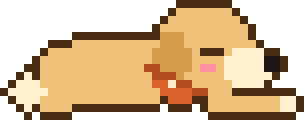
After five quiet minutes your pet curls up and sleeps until you wake it.
Double-click your pet or press ⌥⌘P to hide it any time. It also slips away on its own when your camera or mic turns on.
Turn on Do Not Disturb and friends' pokes and hugs hold until you're back.
Yes. Download it and your pet moves in.
macOS 13 or later, on Apple silicon and Intel.
Click Boop in the menu bar and choose Invite a friend… to copy your code. Your friend chooses Add a friend's code… and pastes it. One code works for everyone you share it with.
It naps after five quiet minutes, hides during calls, and holds visits while Do Not Disturb is on. Double-click your pet or press ⌥⌘P to hide it.
The first time, right-click Boop.app and choose Open. If your Mac says it can't verify Boop, go to System Settings → Privacy & Security and click Open Anyway. Still stuck? Run FIX IF MAC SAYS DAMAGED.command, which comes in the download next to the app.
Free for Mac · macOS 13 or later